
 EN
 Fast deposits and withdrawals
 24/7 support
 Daily cashback

Chill Spins app: use your browser, skip the install
 Written by Nadine VisserUpdated 6 min read
There is no Chill Spins app to download. Mobile play runs in the browser on iOS and Android, and you can add the operator site to your home screen yourself. The international offer is up to 20 % daily cashback on net losses, credited the following day under the promotion terms.
In short
| Mobile access | Browser on iOS and Android |
|---|---|
| Download | No app to download |
| Home screen | Add a shortcut yourself |
| Cashback | Up to 20 % daily on net losses |
| Help | 24/7 live chat and email |
| Controls | Deposit, loss and session tools |
Is there a Chill Spins app to download?
Chill Spins uses browser-based mobile play rather than a downloadable app. That distinction matters when you search for access: an installer carrying the casino name is not made legitimate by a familiar logo. The verified operator domains are chillspins.com and chillspins-no.com. Check the address before signing in, and do not treat a search result or an app listing as proof of ownership.
From a mobile usability point of view, the benefit is straightforward: there is no separate app package to install. It does not prove anything about loading speed on your particular phone, though. Your browser, connection and the game itself still matter, so I would assess whether the controls are usable rather than promise that every session will feel fast.
How do I add Chill Spins to my home screen?
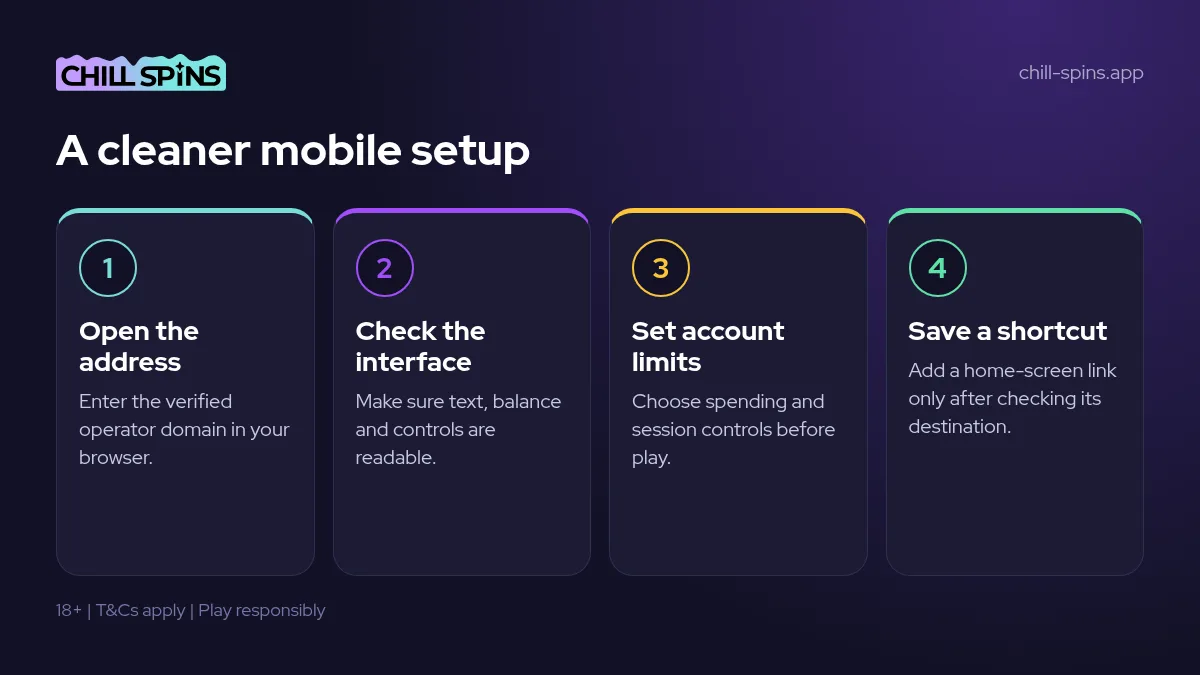
Open the verified operator address in your mobile browser, then use the browser’s option to add it to the home screen. The wording and location of that option depend on the browser and operating system. Check the address first, before saving anything, because a shortcut is only useful if it takes you to the destination you intended to keep.
A home-screen icon should be treated as a saved route, not an identity check. Tap it and inspect the address before entering account details, especially if you created it from an advert or a message. If the destination is wrong or unclear, remove the shortcut and return through the verified address instead of trying to repair trust by looking at the logo.
Does Chill Spins work on iPhone and Android?
The confirmed mobile access is through browsers on iOS and Android. There is no need to choose between separate casino app editions. What matters in use is whether you can read the game information, see your balance and reach the controls without confusion. Device support alone does not tell you how comfortable a particular game will be on a small display.
| Item | What to expect |
|---|---|
| iOS | Play through the mobile browser |
| Android | Play through the mobile browser |
| Home-screen icon | A shortcut you add yourself |
| Downloadable casino app | Not available |
I would start with the account and lobby screens before opening a game for money. Check text size, navigation and whether the browser’s own controls get in your way. If the interface is difficult to use, that is a reason to change your setup or stop, not a challenge to complete while a live table is waiting for a decision.
Which games can I look for on mobile?
The casino lists over a thousand games, with providers including NetEnt, Play’n GO, Pragmatic Play and Evolution. Most random-number games have a free demo mode; these are games whose results are generated by software rather than a live dealer. Crash and instant games also exist. Check the individual game rather than assuming every title offers the same controls or a free trial.
For an interface check, a demo is useful where one is offered. You can see whether the rules are readable and the buttons sit where you expect without making a paid bet. That does not predict real-money results or make a game safe from losses. Live games require particular care because a small screen must still show the betting options clearly.
- Look for a demo on eligible software-based games.
- Read the rules before using unfamiliar controls.
- Check that the stake is visible before confirming.
Can I deposit and withdraw through mobile access?
The international payment selection includes credit and debit cards, crypto and MuchBetter. Check the cashier for the methods and conditions available to your account before making a deposit. A phone does not change the need to understand the payment route, the currency or any bank conversion cost, and the casino says it charges no deposit or withdrawal fees.
| Item | What to expect |
|---|---|
| Casino processing aim | Within a day, potentially 12-24 hours |
| E-wallet after approval | Instant arrival |
| Other methods after approval | 1-3 banking days |
| Casino payment fees | None; bank currency conversion fees are possible |
Withdrawals are aimed to be processed within a day and can take 12-24 hours. After approval, e-wallets arrive instantly, while other methods take 1-3 banking days. Those are separate stages, not a promise that pressing a mobile withdrawal button produces an immediate payment. Funds go back to the deposit method where possible under the stated first-in, first-out approach.
How does the daily cashback offer work on a phone?
The international headline is up to 20 % cashback daily on net losses, credited the following day and usable on any game, with terms applying. Mobile access does not turn that headline into a different offer. Read the promotion conditions in the account or cashier before accepting, including how eligibility is determined and what you must do to use a credited amount.
Screen size can make terms less comfortable to read, but skipping them is a poor trade. I would open the full offer text and take the time it needs before committing money. Exact welcome wagering is not published openly. A bonus credited to an account must be used within 7 days or it is removed under the stated terms, so check which conditions apply.
How do I set session limits on mobile?
Responsible gambling tools sit in the account settings and include deposit limits, loss limits, session limits or reminders, a cool-off period and self-exclusion. Find those controls before playing. A reminder and a restriction may have different effects, so read the wording rather than assuming a notification will prevent further play or that every control operates in the same way.
If a session control interrupts access, do not start troubleshooting as though every interruption were a browser fault. Read the message and check the account settings. I would ask support to clarify an unclear restriction, not look for another browser to evade it. Mobile convenience should leave your boundaries intact, including when a game is still available in the lobby.
What should I do if mobile access looks suspicious?
Stop before entering a password or sending money if the destination does not match the verified operator address. A home-screen shortcut, familiar colours or a copied logo cannot establish who runs a destination. Remove a doubtful shortcut and reach the operator through the address you have checked, rather than following another link supplied by the same suspicious message.
For account questions, Chill Spins has live chat and email support available 24/7. Email at [email protected] is better for documents and verification. Describe the address or error clearly and follow legitimate support instructions about account security. Never send verification documents to an unverified destination simply because it claims that your mobile access needs to be restored urgently.
- Inspect the destination before signing in.
- Delete shortcuts that lead somewhere unexpected.
- Use verified support channels for account questions.
From my inbox
Why did Chloe’s mobile session stop?
Chloe in Bristol was playing through her Android browser when a session message interrupted her play. She had set a session control in her account but first took the interruption for a fault with the phone. She closed the browser and reopened the home-screen shortcut, expecting the game to resume normally. The message made her stop and check what she had selected in the account settings. Instead of opening another browser, she contacted support and asked whether the interruption was connected to her session control. She described the message and the steps she had already taken, without asking for a way around the restriction. The important change was in how she treated the problem: an account boundary was not something to fix by repeatedly reloading the game. Chloe left the session alone while seeking clarification and reconsidered whether she wanted to play again at all.
What I would do
- I would read the full session message.
- I would check the account control I had selected.
- I would stop reopening the game while unsure.
- I would ask support to explain the restriction.
- I would keep the intended break rather than seek a workaround.
The player's side
Chloe was right to ask what had happened, but reopening the shortcut was not a useful answer to an account restriction. Her better decision was to check the setting and pause. Confusing a session control with a browser fault is understandable; repeatedly trying to get past it would undermine the boundary she had chosen.
The casino's side
The casino offers session limits or reminders among its account tools. Its support should explain the relevant setting and message clearly, without encouraging a workaround. The exact effect depends on the control selected, so a description of the interruption is more useful than assuming all session tools behave identically.
My verdict
I would keep the technical check separate from the decision to keep playing. A working browser is not a reason to override a personal boundary. Chloe’s pause was the sensible outcome while the account message remained unclear.
Avoid this
- Read the selected control before starting.
- Do not treat every interruption as a browser fault.
- Never use another browser to evade an account restriction.
Questions players ask
Is there an official app download?
No app download is offered. Chill Spins mobile access runs through the browser instead.
Can I use an iPhone?
Yes, browser play is supported on iOS. Check the game controls on your own screen before placing a bet.
Does Android need a separate installation?
No, Android access is browser-based too. You can add a home-screen shortcut yourself if you want quicker access.
Does a shortcut prove the casino is genuine?
No, a shortcut only opens a saved destination. Check that destination against the verified operator domains before logging in.
Is mobile cashback different?
The international headline is up to 20 % daily cashback on net losses, credited the following day. Read the current offer terms for eligibility and use.
Can I remove a session limit by changing browser?
Do not try to bypass an account control. Read the restriction message and ask support to clarify anything you do not understand.
Are withdrawals instant on mobile?
Casino processing can take 12-24 hours. After approval, e-wallets arrive instantly and other methods take 1-3 banking days.
What I like
- Browser play on iOS and Android
- No app package to install
- Optional home-screen shortcut
- Account tools for spending and session control
What could be better
- No downloadable native app
- Small screens require careful control checks
- A saved shortcut does not verify its destination
Nadine Visser
Founder and editor of chill-spins.app
I have tested online casinos since 2014 and write about bonus terms, withdrawals and player limits. Every text here comes from my own deposits, chats with support and a slow read of the terms.